Features
Every caption, timed and styled
Caption Suite transcribes on your computer, times every word, and puts finished, editable captions on your timeline.
Transcription
From audio to captions. Effortlessly.
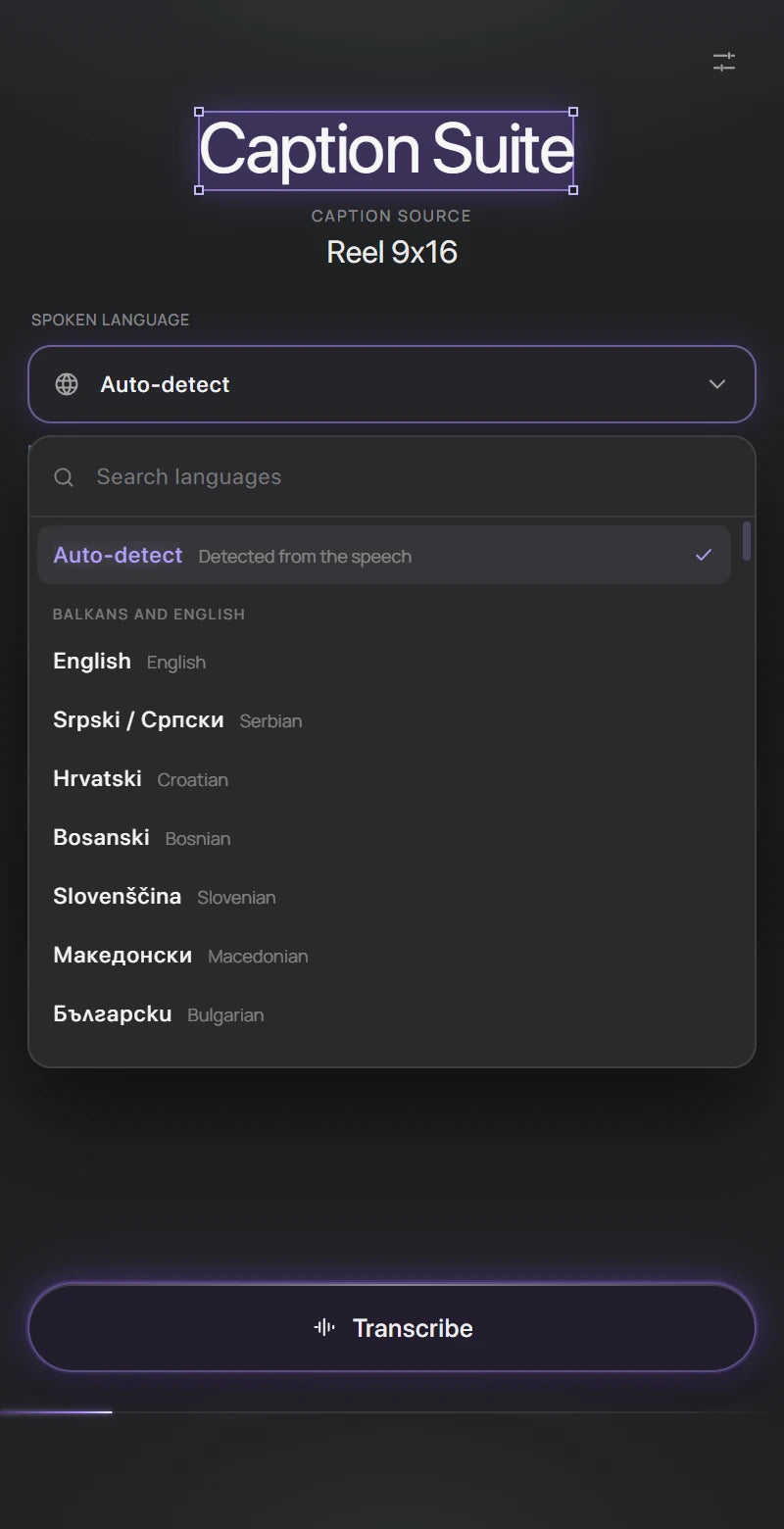
Choose the language or let Caption Suite detect it. It transcribes your sequence, then hands you captions timed to every word, ready to check.
Transcribe
Language, source and High Accuracy, then one button.
Fix text and timing
Correct a word and its timing stays. Split, join and nudge captions; overlaps are caught before you add them.
- 100
- languages, or Auto-detect from the first 30 seconds of audio
- Local
- Transcribed on your computer. No API key, no upload.
- Word‑level
- timing, so every animation follows the voice
- High Accuracy
- mode for accents, music and difficult audio
AI transcription that stays on your computer
Caption Suite installs a speech model with the plug-in. It transcribes in 100 languages, detected automatically or chosen, and gives every word its own start and end time.
The default model is fast. High Accuracy uses the largest model for difficult audio: noisy rooms, fast speech, mixed languages. Nothing is uploaded, and no account or API key is needed.
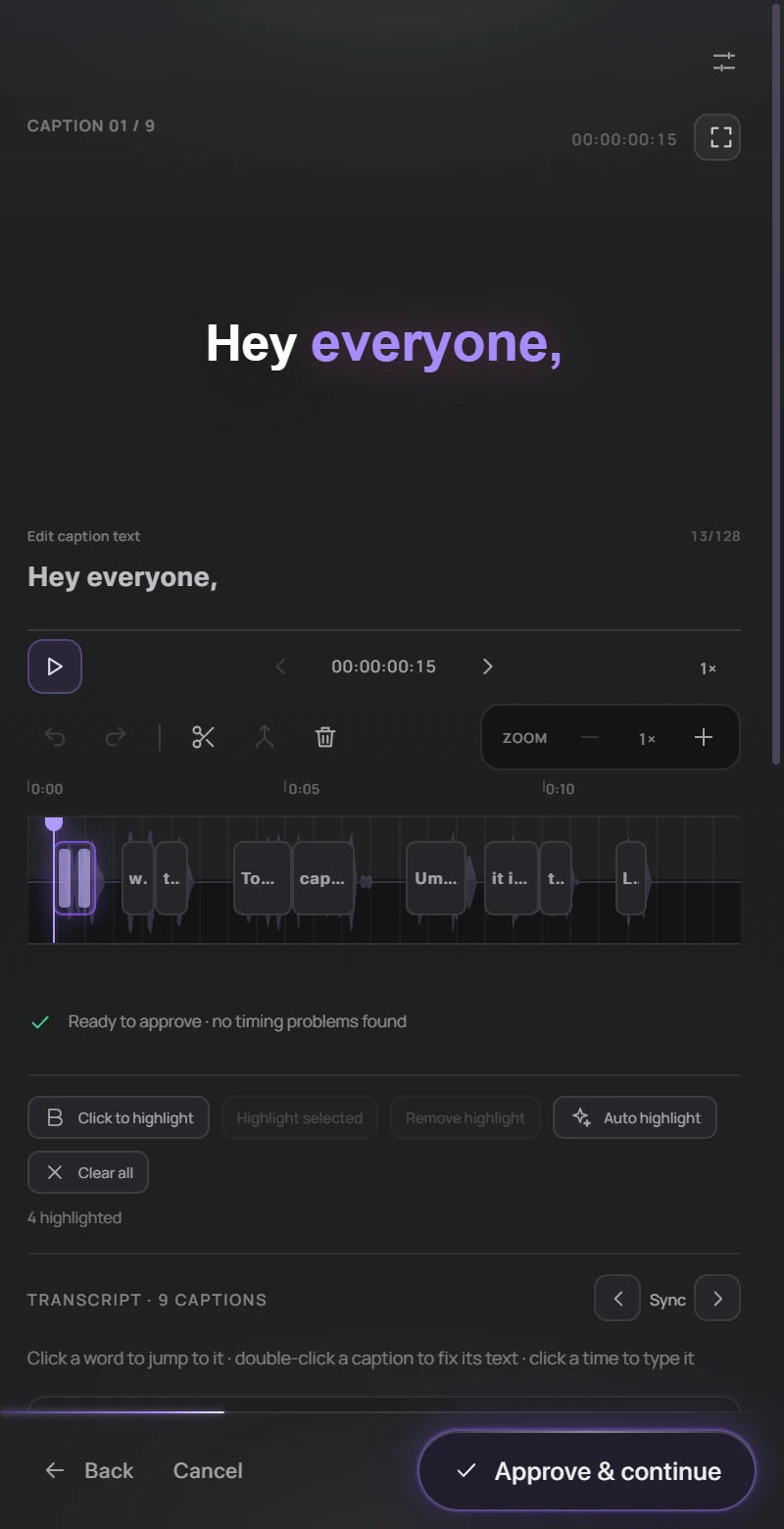
Captions generated, then yours to edit
The transcript becomes captions grouped into readable lines. Every caption shows its timing. Fix a word and the timing stays; type or nudge times, split or join captions. Captions that overlap or flash by too fast are flagged before they reach your timeline.
Already have subtitles? Import an SRT file instead of transcribing, and export SRT, WebVTT or text when you are done.
Animation presets
Make every word count.
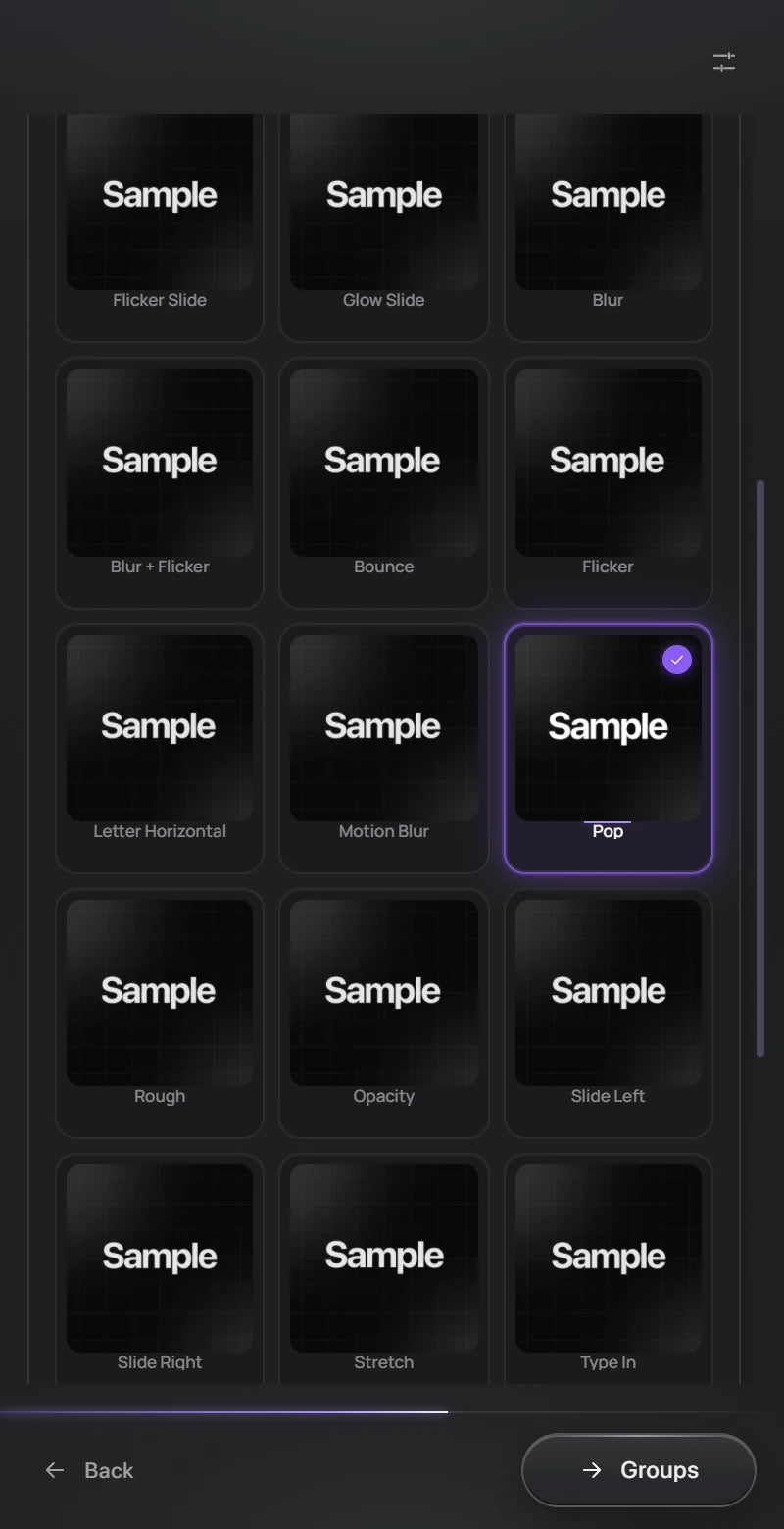
Styles and animations from Caption Suite's library, re-timed to every caption automatically. Each example below was rendered from a real sequence.
Glow style · Pop animation · rendered in After Effects
Word highlighting
The important word of each phrase is highlighted for you. Click any word, or several, to choose your own. Highlighted words get their own colour, and their own animation from the same library as the rest of the caption.
Typography and position
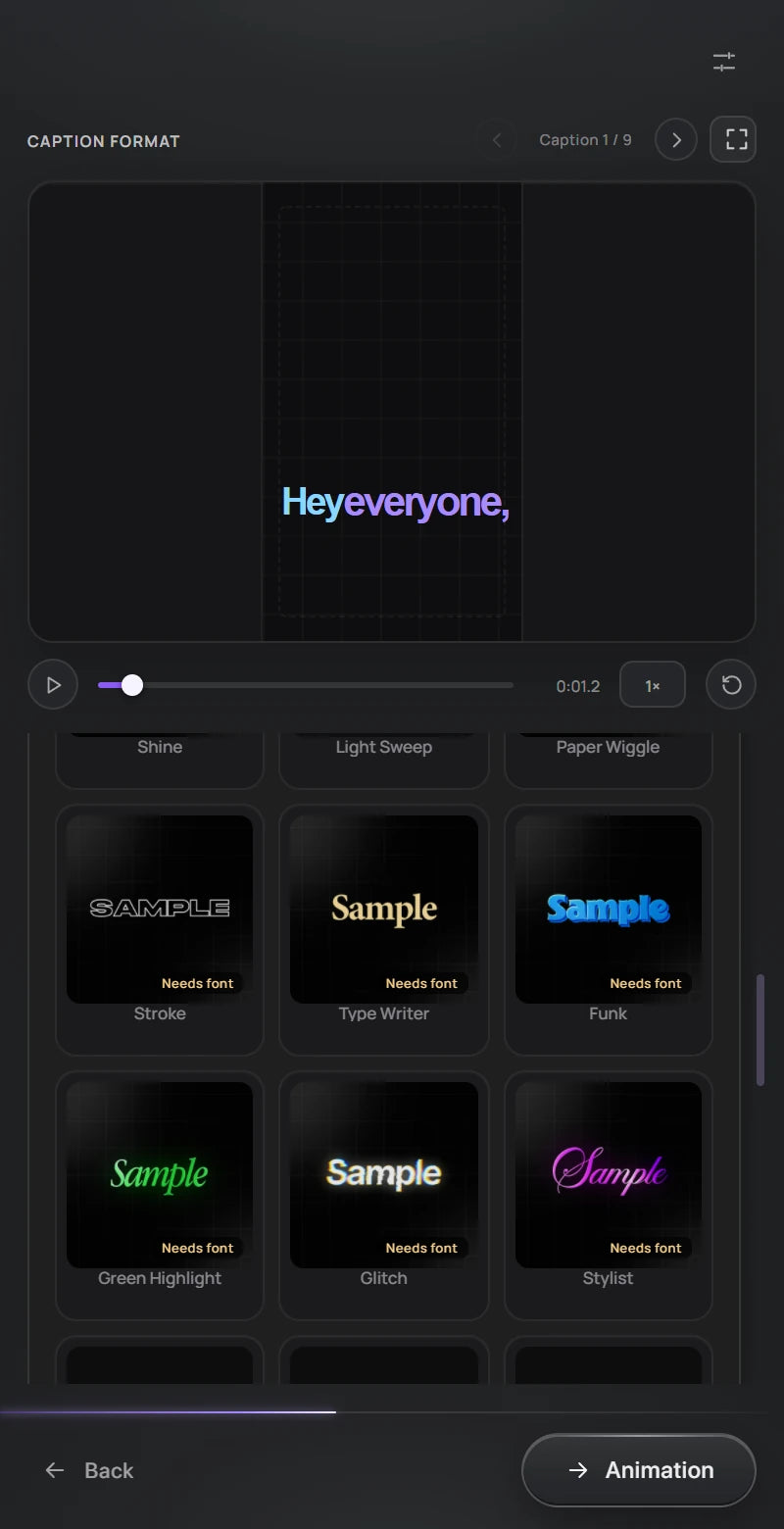
Choose the font, size, colours, outline and background, and see them on your own words before anything is added. Keep captions inside the safe zone, stack lines the way you like, and move or scale every caption at once, or only the ones you select.
Customization
Your style. Every detail.
Start from a preset, then make it yours. Every change previews on your own captions before anything touches the timeline.
Caption format, recorded in Premiere Pro
- Fonts
- Any installed font and face, with faux bold and italic.
- Colors
- Fill colour, plus the spoken-word highlight or karaoke colour.
- Highlights
- Key words picked automatically or by you, with their own font, size, colour and animation.
- Outlines
- Width and colour.
- Backgrounds
- A box behind the text: colour, padding, corner radius, opacity.
- Positioning
- Position, scale and the Safe Zone; adjust all captions or only the selected ones.
- Animation
- Entrance, highlight animation, timing and easing, and a Fade out at the end.
- Grouping
- How many words per caption, line breaks and stacking.
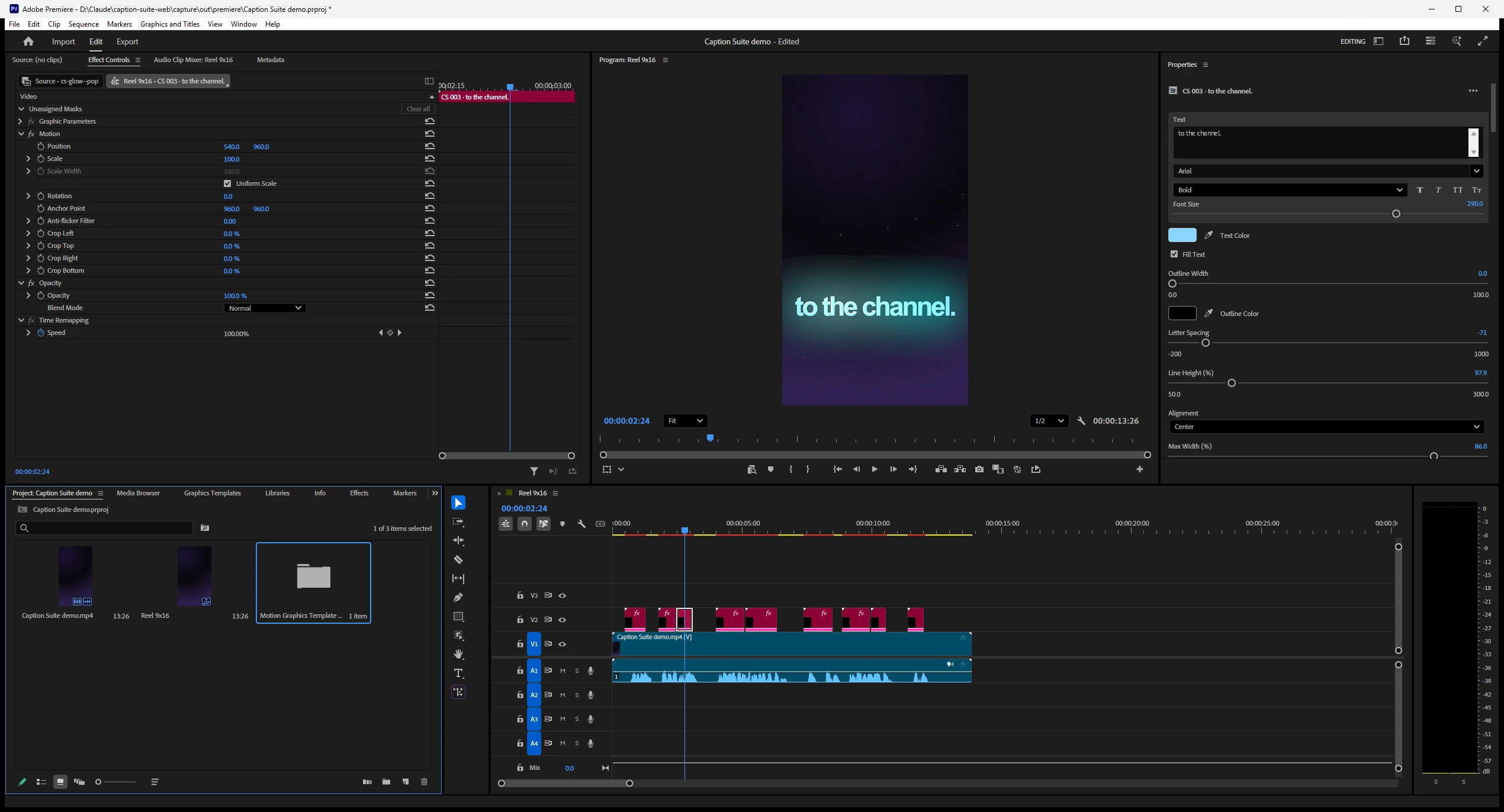
Still editable in Premiere Pro.
Each animated caption keeps its text, font, colours and outline as controls in Premiere's Properties panel.
One plug-in, three editors
- After Effects 2023 or later
- Text layers, with the animation applied
- Premiere Pro 2023 or later
- One Motion Graphics template per caption, or a caption track
- DaVinci Resolve Studio 19.0.2 or later
- Text+ titles, or a subtitle track
- License
- Lifetime, on two computers at a time
Spend less time on captions. More time creating.
Bring Caption Suite into your editing workflow.